
Practice an argument in Debate
Debate gives you a structured exchange with the tutor taking the opposite side. The aim is to practise reasons, evidence, and rebuttals rather than simply win a score.
Watch the walkthrough
Section titled “Watch the walkthrough”Read the walkthrough transcript
1. Choose a topic, side, and rounds
Start in Debate and enter a focused topic. We're using school start times, taking the For side, and keeping two rounds. Leave Voice match off for a typed exchange, then choose Start the debate.
2. Make your opening argument
Our two-round match is set up, and we're arguing for a later school start. Write one claim, a reason, and a clear example. Submit the argument and let the tutor respond.
3. Read the counterargument and scorecard
The tutor raises a scheduling concern. Read it before answering, then inspect the round's clarity, evidence, rebuttal, and persuasion scores. The To you note asks us to address later dismissal.
4. Respond to the actual concern
For our closing argument, we acknowledge the concern and propose consulting families and testing a modest change. That addresses the other side instead of repeating our opening. Submit when you're ready.
5. Compare the final feedback with your argument
The match ends at fifty-one to sixty-two. Use the labeled round notes to choose one improvement. Check the final summary carefully: in this local example, some praise describes the opposing side. Treat that mismatch as a limitation, then try a rematch or switch sides.
Download video · Captions · Transcript
Set up a match
Section titled “Set up a match”- Open Debate and choose the grade band: K–5, 6–8, or 9–12.
- Choose an offered topic or write a short custom topic. The reviewed custom-topic field allows up to 200 characters.
- Choose FOR or AGAINST and set the available 2 or 3 rounds.
- Leave Voice match off for a typed match, or enable it when live voice is available and you want to argue aloud.
- Start and confirm the topic, side, and round information in the arena.
Make and review an argument
Section titled “Make and review an argument”Write one claim with a reason and an example in Your debate argument, then choose Argue. Read the tutor’s counterargument before sending your rebuttal. Address the actual point rather than repeating your first claim.
For a voice match, use the live voice stage’s controls and typed fallback when needed. If a connection is interrupted, use the displayed resume control and inspect the current round before resubmitting.
At the end, review the available judgement or feedback. Pick one specific improvement for the next match. Open a previous match through debate history where provided, or start a new topic.
If Start is disabled, check that a topic is selected. If feedback or a round fails, retain the session and error; restarting immediately can lose the opportunity to resume it.
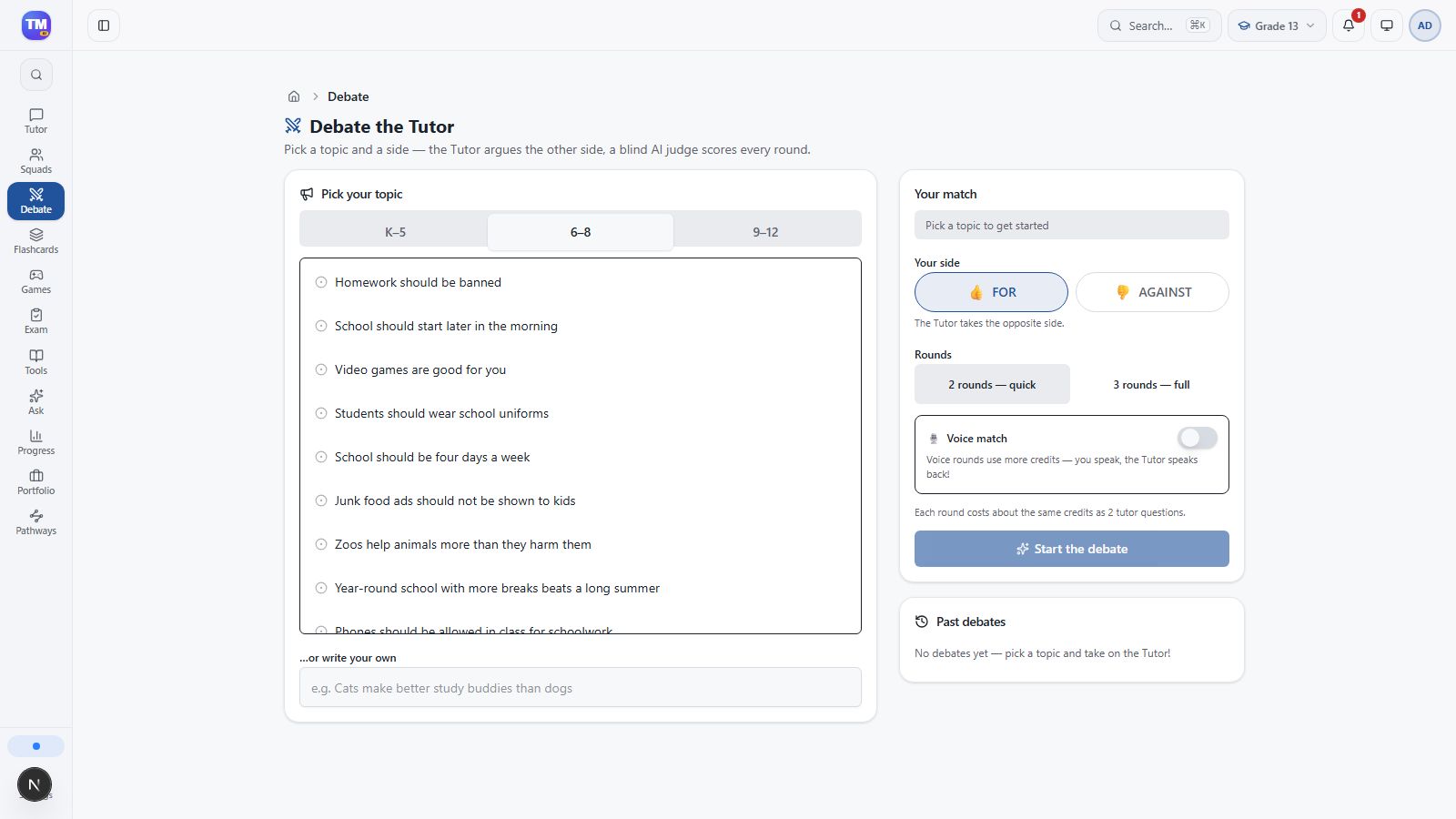
Debate setup with custom topic, side, rounds, and voice-match choice.
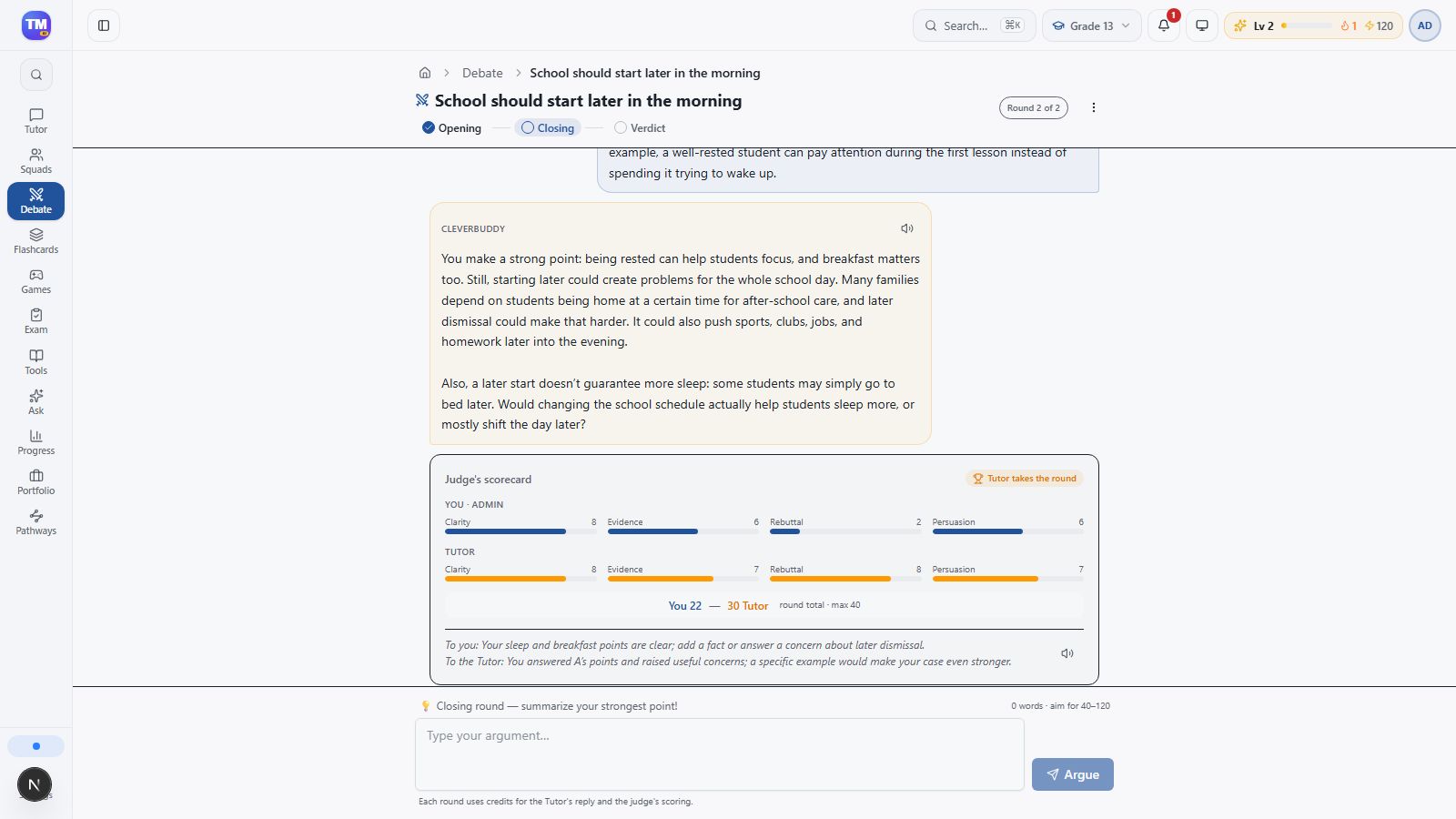
Opening-round counterargument and labeled scorecard.
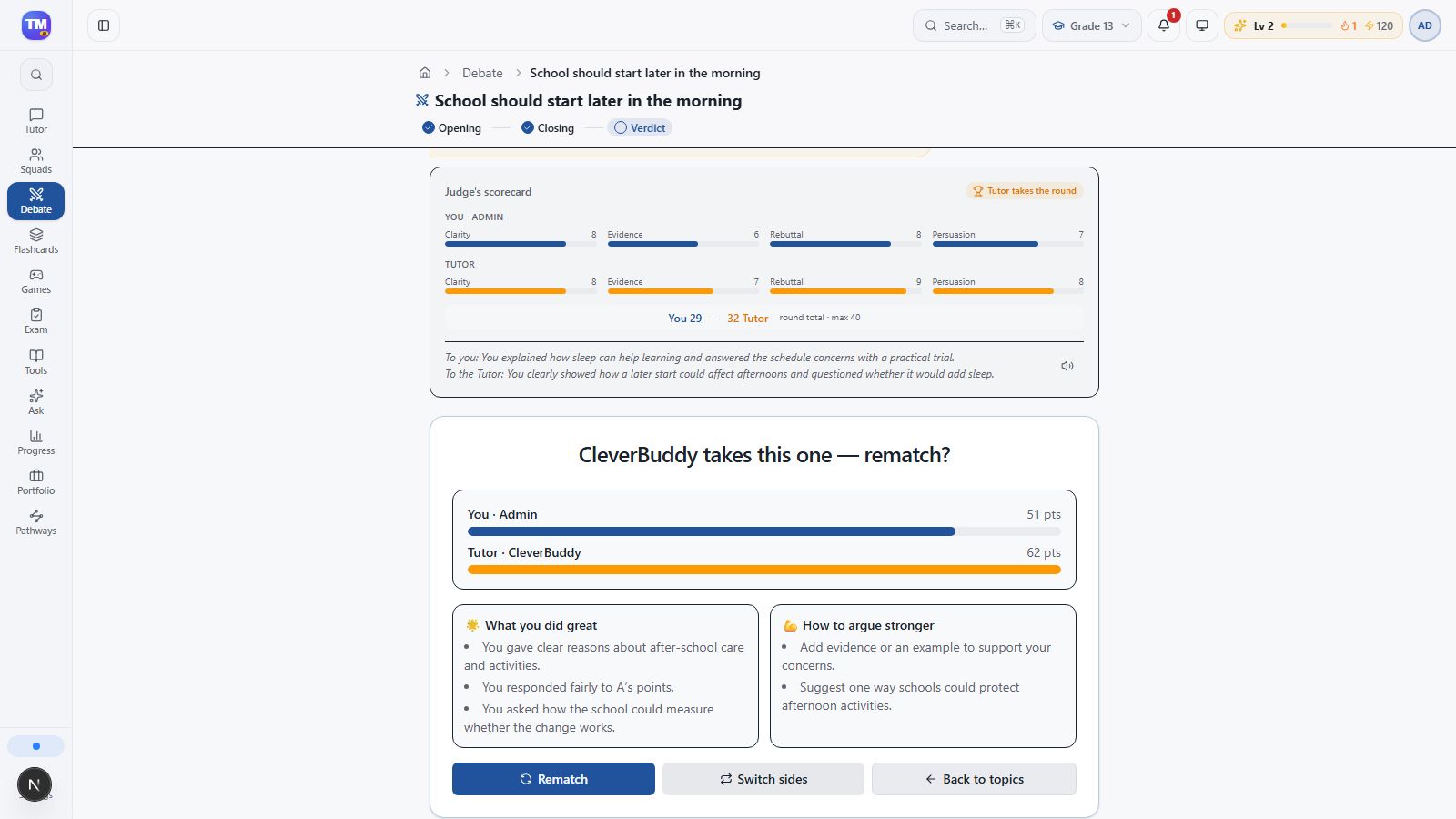
Completed two-round Debate with final score and rematch controls.
Workflow at a glance
Section titled “Workflow at a glance”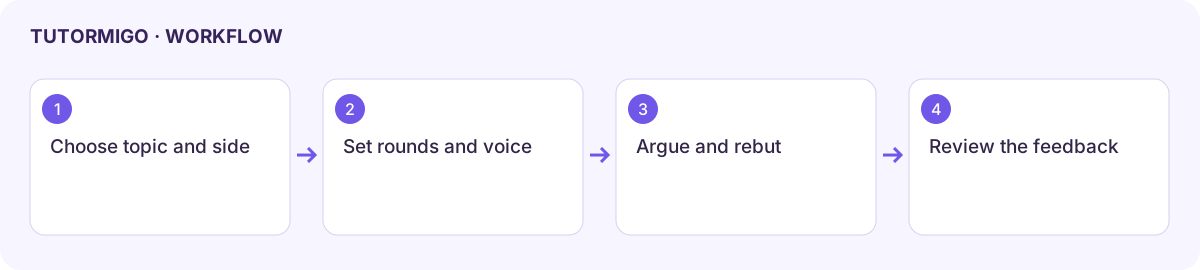
What the recorded example verifies
Section titled “What the recorded example verifies”The walkthrough uses a two-round typed match about a later school start. It submits an opening argument, reads a tutor counterargument and scorecard, sends a closing rebuttal, and reaches a final 51–62 result. These are example scores, not an assessment of school achievement.
Compare feedback with your own argument and the round’s To you notes. In the local example, parts of the final What you did great summary described the opposing side’s points. Treat a mismatched summary as a limitation and use the labeled round evidence to decide what to improve. Voice matches were not tested in this recording.