Find a learner and review their evidence
Students lists learners inside your teacher scope. It is not a directory of every learner on the platform.
Find the right learner
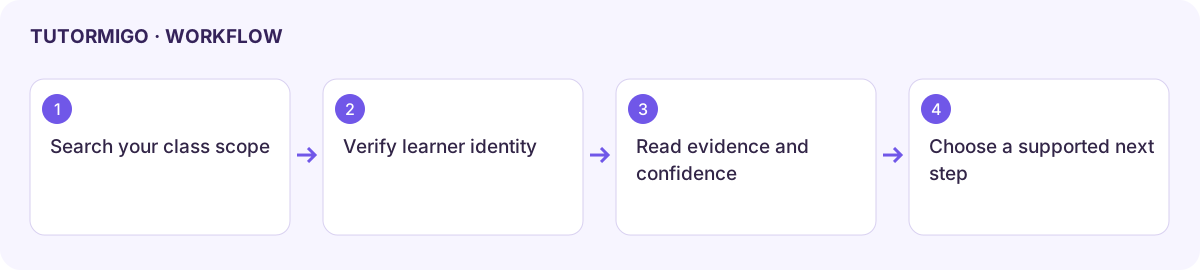
Section titled “Find the right learner”- Open Students and search by name or class.
- Check the class and account identity before opening a learner’s detail or learner-twin link.
- Compare activity and average mastery with actual learning evidence. A mastery average can hide a specific weak topic.
- In Learner Twin, inspect confidence, predictions, support information, and the progress timeline.
- Choose one next task supported by that evidence, then use the appropriate class activity or intervention workflow.
Invite a student
Section titled “Invite a student”Use Invite a student, review the email address, and select an optional class. Send only after confirming the intended recipient. A sent invitation does not complete enrollment; check the class roster after acceptance. Managed learners may instead require the class or login-card workflow configured by your school.
If a learner is missing, clear the search and inspect the correct class roster. If a learner-twin view is empty, check whether there is enough recorded activity. Predictions require human review before a consequential educational action; they are not a substitute for your professional judgement.
Next: classes, monitoring, and interventions.
Workflow at a glance
Section titled “Workflow at a glance”